6. Central account + PRIMUSS + MFA
Find out how to create and manage your digital accounts and logins.
Central university account
- Email: personal …@hm.edu – the email address to which information relevant to your studies will be sent
- Wireless internet access on the campus using your laptop/tablet/smartphone
- Using the Library
- Access to HM’s secure online services (e.g. the Library’s online journal collection via a VPN client, even from home)
- Use of the central computer room T 3.022
- Access to many of the departments’ laboratories via card readers using your student card
- Using the e-learning platform moodle.hm.edu
- Using the HM app
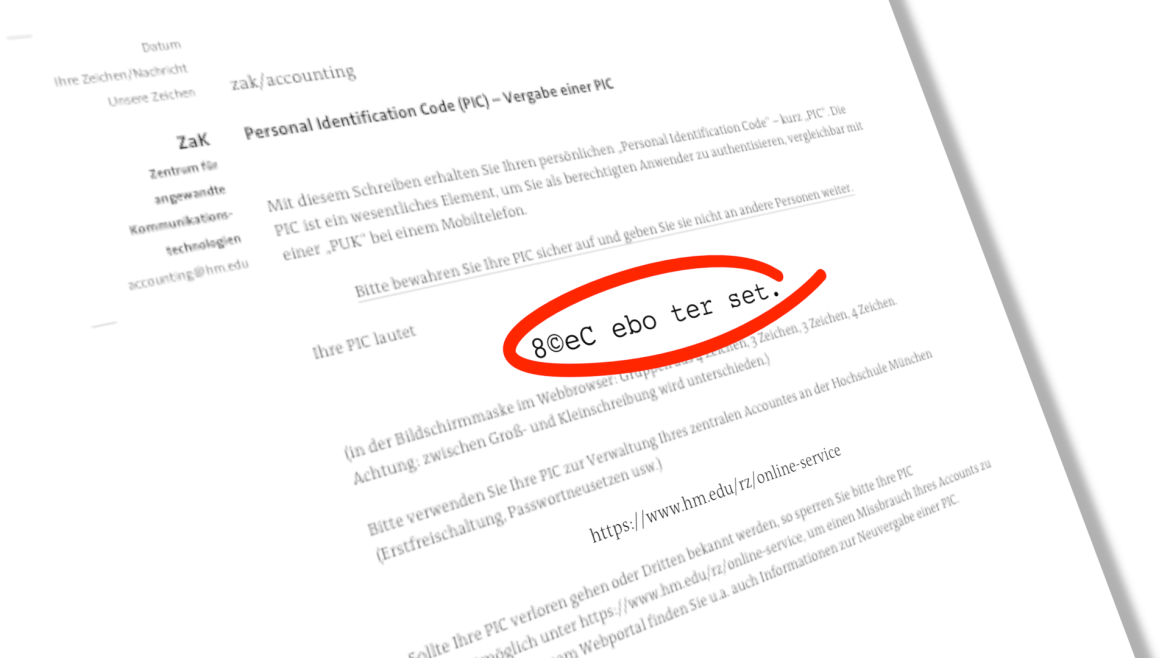
During your enrollment, a university account (central account) will automatically be set up for you, allowing you to use the various services listed below.
You can usually activate your account online via the myIT portal and manage it yourself just one day (24 hours) after your final enrollment, using your PIC (Personal Identification Code).
You will receive your PIC via email along with other documents after enrollment.
If you are having problems with your PIC, or if you have lost it: HM IT support services
Please note: ONLY the IT department is able to replace or reset a PIC and a university account. Neither the Student Advice Centre nor the Enrollment Office has access to your student account.
PRIMUSS
To register with PRIMUSS , please have the following details to hand:
- Username
(which was assigned to you when your account was activated) - Password
(the one you set when you activated your account)
If you are unable to log in, this may be due to one of the following reasons:
- You have not entered your place of birth as you stated it in your application.
- Make sure there are no spaces after your entry.
- The date of birth in the format DD.MM.YYYY, e.g. 15 November 2014
- Please note that this iscase-sensitive.
- Using umlauts(ä, ö, ü, ß)
- Change your browser. In our experience, Chrome can cause problems. Please switch to an alternative browser such as Firefox, Safari, Internet Explorer, etc.
Multi-factor authentication
Two-factor authentication is mandatory for all student portals and PRIMUSS.
You can find information on setting up and using the system in the HM-IT FAQ section (no login required)
If you’re having trouble with MFA: HM-IT’s FAQ section (no login required).
If you have lost your login details: HM IT MFA reset appointments
Please note: ONLY the IT department is able to reset a university account or reset the MFA. Neither the Student Advice Centre nor the enrolment office has access to your student account.